You just looked at your Google Analytics. 342 visitors last month. That should be good news.
But your phone hasn't rung. Your contact form has zero submissions. And you're wondering: why am I getting traffic if nobody's buying?
Here's the truth: your problem isn't that you don't have visitors. Your problem is that you don't know why they're leaving.
The Waste
Most small business owners spend money on the wrong things. They guess at what's broken and then make expensive fixes that don't move the needle.
Here's what that looks like.
Building A Site And Hoping
You launch a website and assume it works. No tracking. No analytics. No idea if visitors are taking action. Six months later you realize nothing's changed. You wasted time and money with zero feedback.
Redesigning Because It Looks Old
Your site is four years old, so you assume that's the problem. You spend $5,000 on a redesign because "it looks dated." New colors, new fonts, new layout. But your conversion rate stays exactly the same. Why? Because looking old wasn't the actual problem.
Adding Features You Think You Need
"We should have a blog." "We need an online scheduler." "Maybe a customer portal?" You build these things because they sound good. But you never checked if visitors actually want them. Now you're maintaining features nobody uses.
Copying Your Competitor
Your competitor added a feature, so you add it too. You don't know if it actually helps them. You just know they have it. Waste: copying without understanding why.
Running Ads Without Tracking
You spend $300/month on Google Ads. But you have no idea if they convert. You assume "more traffic equals success." Six months later you've spent $1,800 and can't tell if a single phone call came from those ads.
Celebrating Vanity Metrics
"We get 1,000 visitors a month." That sounds impressive until you realize zero of them are calling. You're celebrating traffic that doesn't convert. The visitors are from the wrong keywords or the wrong audience.
Ignoring Analytics Completely
Your site's been live for two years. You've never looked at a dashboard. You have no idea where visitors come from or where they drop off. You're flying blind.
One-Time Fixes, Then Abandonment
You hire an agency, they build your site, they disappear. "It's done, now it should work." No ongoing measurement. No iteration. No adjustments. You launch and abandon.
The Pattern
All of these have one thing in common: they spend money on ACTIONS instead of DATA.
You guess. Then you waste money on the wrong fix.
What Actually Works
Instead of guessing, measure first.
Find out what's actually broken. Then fix it. Then measure again to see if it worked.
This is how you stop wasting money.
The Process
Here's exactly how we identify problems and fix them.
Step 1: Set Up Tracking
If you don't have Google Analytics installed, do that first. It's free and it's the foundation of everything.
Install it on your WordPress site via a plugin. Configure it to track:
- Where visitors come from (search, social, direct)
- How far they scroll (are they seeing your CTA?)
- Which pages they visit
- Where they leave (drop-off points)
- Form submissions (if you have forms)
Then wait 2-4 weeks to gather baseline data.
Step 2: Identify Drop-Off Points
Pull up Google Analytics and look at the "user flow" report. Where are visitors dropping off?
Example: 342 visitors land on your homepage. 210 go to the services page. 89 view a specific service. 12 see your contact form. 0 submit it.
Now you know something's wrong between "see contact form" and "submit contact form." That's your problem.
Without this data, you'd guess at a redesign instead of fixing the actual issue.
Step 3: Check Your Conversion Funnel
If you have forms, check where people abandon them.
Do they leave after seeing the form? Before clicking submit? At a specific field?
If everyone leaves before the phone number field, they might not trust you yet. That's different from the field being in the wrong place.
Step 4: Check Your Keywords
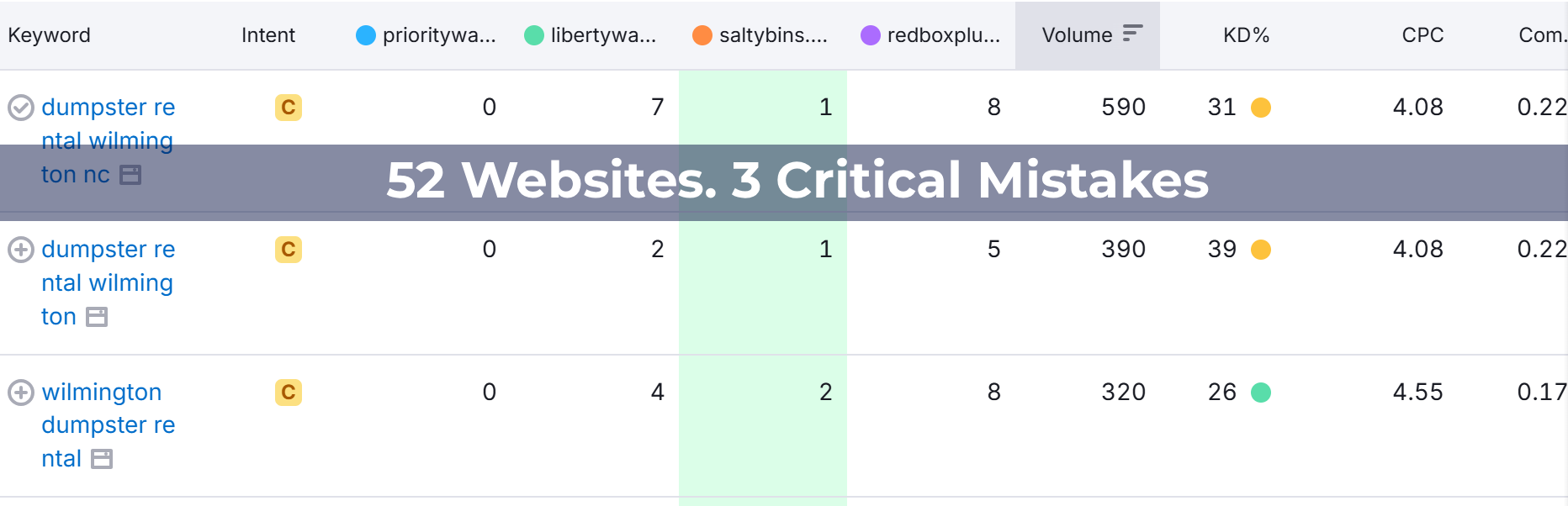
Use Google Search Console. What keywords are bringing traffic?
If you're getting traffic for "free website template" but you offer "custom website design," you're attracting the wrong audience. That's why they're not converting. Your traffic is from the wrong search intent.
This isn't a traffic problem. It's a keyword targeting problem.
Step 5: Make One Change
Based on your data, identify one specific problem. Then fix it. Only one.
Don't redesign the whole site. Don't add five new features. Make one targeted change and measure the result.
Example: Move your phone number above the fold if analytics show people leave before seeing it. That's one change.
Step 6: Measure For 2-4 Weeks
After you make the change, monitor it.
Did the drop-off point improve? Did form submissions increase? Did phone calls go up?
If yes, keep it. If no, try something different.
Step 7: Iterate
Repeat the process. Find the next problem. Fix it. Measure. Iterate.
This is ongoing work, not a one-time project.
Real Examples
Example 1
A client's website was getting 300+ visitors per month but zero phone calls.
We set up detailed tracking and looked at the user flow.
Visitors were landing on the homepage. They were scrolling through the story. They were visiting the services page. Then they were leaving.
Why?
Analytics showed visitors spent an average of 20 seconds on the services page and left without scrolling to the CTA.
Heatmap showed they weren't seeing the call-to-action because it was below the fold.
The problem wasn't traffic or design. The problem was visibility.
We moved the phone number to the top of the services page.
Result: More natural conversion path. Visitors saw the CTA. Phone calls increased.
Would we have found this without data? No. We would have guessed at a redesign instead.
Example 2
A local hair salon was getting hundreds of impressions for a branded keyword search.
Sounds good until you look at the actual clicks. Almost none of them were converting. Why?
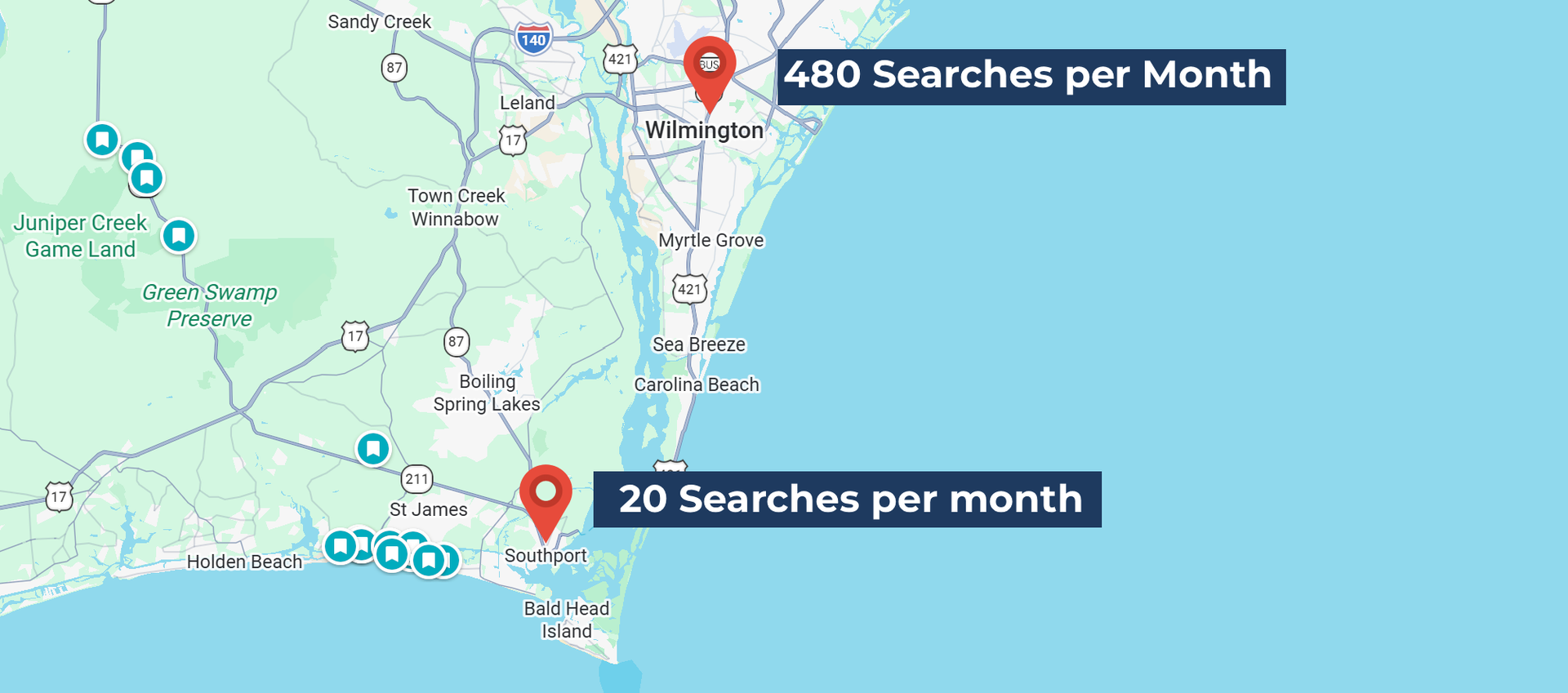
Google was showing her business to people searching for salons in a completely different state (turns out her business name is shared with a famous ski town).
She was getting traffic from the completely wrong location.
The problem: Her page titles and descriptions didn't include her actual city name. Google couldn't tell which location she was in.
The fix: Add location keywords to page titles, meta descriptions, and headings. Change "Hair Salon | [Business Name]" to "Hair Salon in [City], NC | [Business Name]."
Result: Impressions are now from the right location. Relevant traffic instead of wasted impressions.
Example 3
A metal fabrication company was running Facebook ads and spending hundreds per month. Traffic spiked significantly, over five times higher than organic search traffic.
Sounds like success until you look at actual conversions. Almost none of those visitors were filling out quote requests or calling.
Meanwhile, organic search, with a fraction of the traffic, was producing nearly all the actual leads.
The problem: He was measuring traffic volume, not conversion quality. Paid social engagement rate was 33%. Organic search engagement rate was 67%. He was essentially paying for low-intent clicks from people scrolling past an ad, not people actively searching for his services.
The fix: Stop measuring traffic. Start measuring conversions. If you're going to run ads, track which channel actually drives leads, not just clicks.
Result: He stopped wasting money on social ads that looked good in a dashboard but didn't produce business. If he tries paid ads again, he'll measure actual conversions first, not just visitor volume.
The Tools You Need
You don't need expensive software. Start with free tools.
Google Analytics
Free. Shows traffic sources, user behavior, drop-off points.
Google Search Console
Free. Shows which keywords bring traffic and whether they convert.
Your WordPress Form Plugin
If you're using Gravity Forms, WPForms, or similar, it shows form submission rates and field analytics.
That's it. You can start with this.
If you want to go deeper later, you can add Hotjar for session recordings or heatmaps. But you don't need it to start.
What To Expect
This approach doesn't give you instant results. It takes 30-60 days to see clear patterns.
But what you get is better than quick. You get real insight into what's actually broken and how to fix it.
Your phone will ring more because visitors don't have to guess whether they should call.
Your conversions will improve because you're fixing real problems, not guessing at solutions.
And you'll stop wasting money on redesigns and features nobody needs.
The Questions To Ask Yourself
Before you make your next website change, ask:
- Do you know where your visitors come from?
- Do you know which pages they visit?
- Do you know where they leave?
- Do you know which keywords bring the right audience?
- Do you know how many contact form submissions you get per month?
- Do you know which form fields cause abandonment?
- Do you know which traffic sources actually convert?
If you answered no to more than two of these, you're probably wasting money.
What To Do Next
Start tracking. That's it.
- Install Google Analytics if you don't have it. Set up basic conversion tracking. Let it run for 30 days.
- Then look at the data.
- You'll see problems you didn't know existed. And once you see them, you can fix them.
- Don't guess. Don't redesign. Don't add features. Measure first.
- Then make changes that matter.
Ready to Stop Wasting Money?
If you want to know what's actually broken on your website, call us at
(980) 643-0942. We'll set up tracking, identify the real problems, and show you exactly what needs to change. No obligation. Just honest feedback about where your website is actually failing.